Internal Consistency
Detects when the same number appears with a different value in more than one place within the current-year statement, including subtotals that disagree with footnote references, schedules that don't tie to the face of the statement, and figures repeated inconsistently across the document.
Internal Consistency is the FSR mode that reads the current-year financial statement against itself and flags every place the same number appears with a different value. It's the mode that catches the small disclosure errors that are easy to miss in manual review: a balance on the face of the statement that doesn't agree with the footnote subschedule, a total that disagrees with its breakdown, an amount referenced in narrative prose that doesn't match the number in the table.
This mode does not compare to the prior year; it only looks within the current-year document. Anything cross-period is handled by Prior Year Consistency.
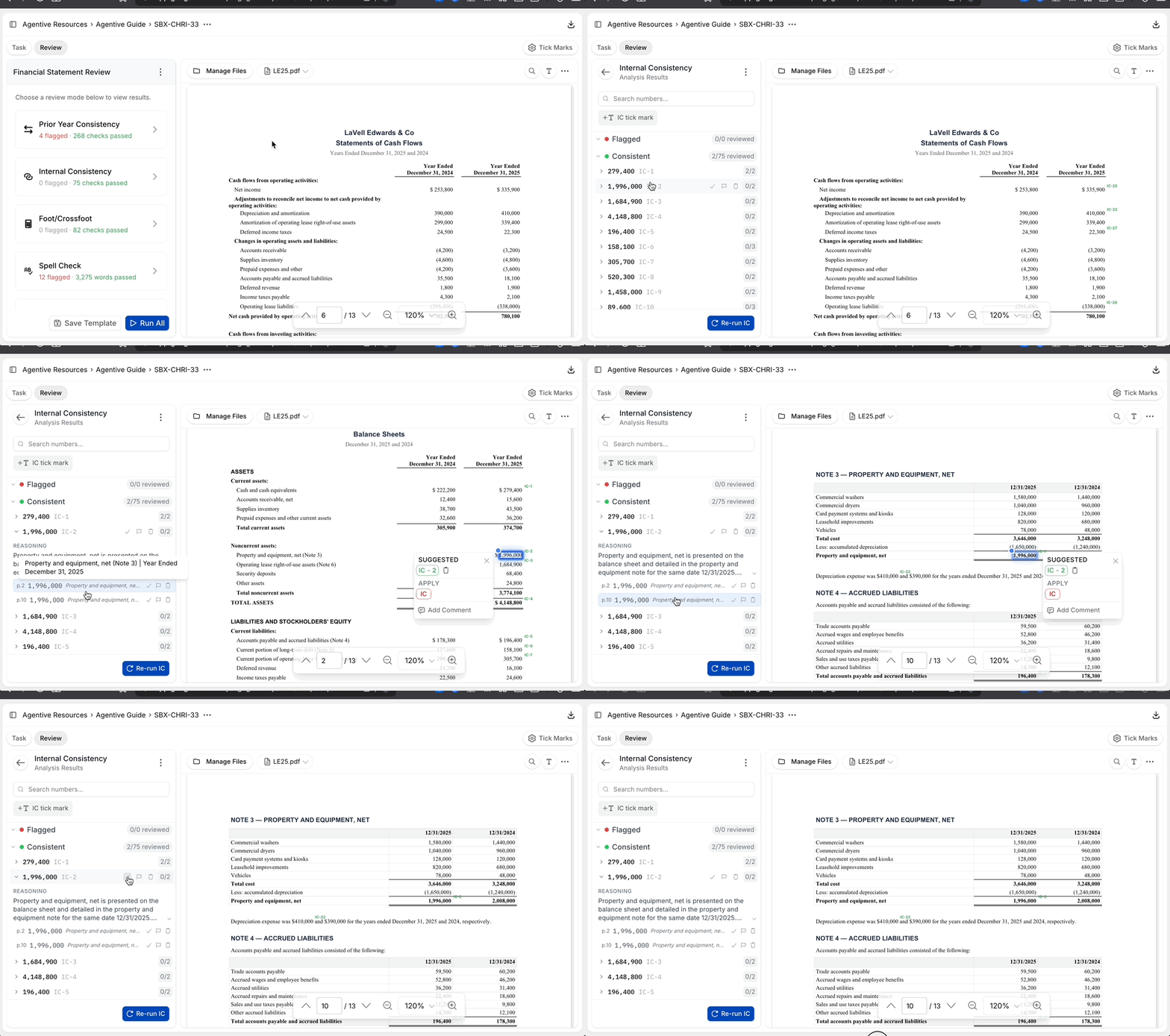
What it inspects
Face vs. footnote
A line item on the balance sheet, income statement, or cash flow statement that doesn't tie to the corresponding footnote schedule.
Subtotals vs. their breakdown
A subtotal that doesn't agree with the components disclosed in a supplementary schedule.
Narrative vs. table
A figure mentioned in the prose of a note that doesn't match the same figure in the table within that note.
Cross-references between notes
Two notes that reference the same balance with different values.
Repeated totals
A grand total or net figure that appears in multiple places and doesn't match across them.
Once Internal Consistency clears, run Footing and Cross-Footing to make sure the totals themselves add up. You can also drop questions about any flagged figure into Co-Audit for a deeper read against the rest of the engagement.
Continue your journey
← Prior Year Consistency
Reconcile current- and prior-year statements line by line.
Footing and Cross-Footing →
Verify vertical column totals and horizontal row totals automatically.
How is this guide?
Prior Year Consistency
Compares the current- and prior-year financial statements line by line and flags differences. Reconciles line items that were reordered, relabeled, or split between periods so a moved line is still matched correctly.
Footing and Cross-Footing
Verifies that column totals sum vertically and row totals sum horizontally across every schedule in the financial statement. Orientation is detected automatically. Typically where FSR saves the most time versus manual review.