Spell Check, Grammar, and Prose
Flags spelling errors, grammatical issues, inconsistent prose, and other qualitative findings across the financial statement. Driven by an editable instruction you tune to your firm's standard so the mode returns the issues you care about and skips the noise you don't.
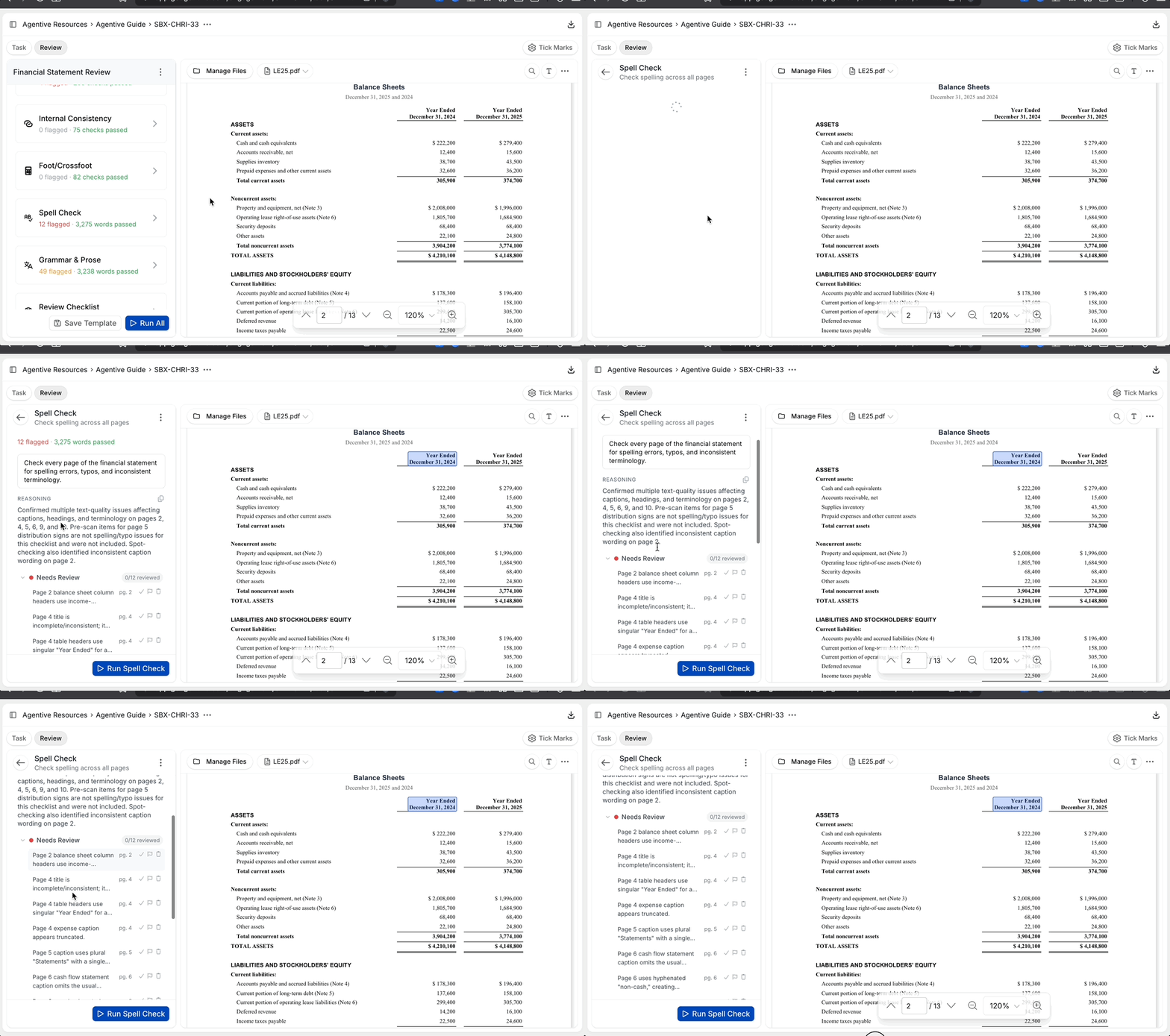
Spell Check, Grammar, and Prose is the qualitative review mode in FSR. It reads the full text of the financial statement (the face of the statement, the footnotes, and the management discussion if included) and flags spelling errors, grammar issues, mismatched dates, inconsistent terminology, and other prose-level findings. Unlike the math-driven modes (Footing, Internal Consistency), this one is instruction-driven: there's an editable prompt on the mode that decides what counts as a finding and what doesn't.
The default instruction is intentionally loud ("err on the side of over-communicating findings"), so the first run on a fresh statement usually returns thirty or more tickmarks. You delete the noise, tune the instruction to your firm's standard, and re-run. Once the instruction is dialed in, the mode is fast on every subsequent draft.
What it inspects
Spelling errors
Misspelled words, missing letters, transposed characters anywhere in the document.
Mismatched dates
Year-end dates that don't agree across pages, or a header that still says the prior year's date.
Subject-verb agreement and grammar
Sentences where the verb doesn't agree with the subject, dangling modifiers, and similar grammar issues.
Inconsistent terminology
The same concept named two different ways across the document (e.g., accounts receivable in one note and trade receivables in another).
Stylistic findings
Comma usage, hyphenation, dash style, and capitalization: whatever your firm's standard calls out (or doesn't).
Tuning the instruction
The instruction on the mode is what makes Spell Check go from noisy to sharp. Edit it to match your firm's standard for what counts as a finding and what's intentional.
A good tuning pattern is a short list of what to ignore followed by what to flag. For example:
Do not comment on hyphenation, dash style, serial commas, or
capitalization. Treat firm-specific terms ("Co-Audit", "Workpaper",
"Tickmark") as correctly spelled.

Flag:
- Spelling errors and typos
- Mismatched or out-of-period year-end dates
- Subject-verb agreement and tense issues
- Inconsistent terminology for the same concept across the documentSave your firm's instruction once, then reuse it on every FSR. You can copy it from one FSR task to the next, or paste it into a template note in your engagement so the next auditor running an FSR starts from your tuned prompt.
Tuning the instruction does not delete already-recorded tickmarks. After editing the prompt, click the play icon on the mode to re-run. Locked tickmarks are preserved; unlocked findings are replaced with the new pass.
Treat your tuned instruction as a reusable asset. Save it alongside firm templates in Engagement Settings, or document the rationale in the Memo tab so the next reviewer inherits your baseline.
Continue your journey
← Footing and Cross-Footing
Verify totals across the document.
Review Checklist →
Run your firm's disclosure checklist as a single review pass.
How is this guide?
Footing and Cross-Footing
Verifies that column totals sum vertically and row totals sum horizontally across every schedule in the financial statement. Orientation is detected automatically. Typically where FSR saves the most time versus manual review.
Disclosure Checklist
Runs your firm's disclosure checklist items as instructions against the current-year statement. Each item becomes a discrete check that the AI evaluates with a citation, so the checklist is reviewed in one pass rather than item by item by hand.