Run your first Financial Statement Review
Create a Financial Statement Review task, upload the sample 2024 and 2025 financial statements, and walk the five review modes (Prior Year Consistency, Internal Consistency, Footing and Cross-Footing, Spell Check, and Review Checklist).
In this section you run your first Financial Statement Review (FSR) using the 2024.pdf and 2025.pdf financial statements from the Onboarding Materials folder. Alternatively, you can also upload your own financial statements.
What you'll do
- Create a Financial Statement Review task from the engagement Create menu.
- Upload the prior- and current-year financial statements so Agentive can process them.
- Review the AI findings across all five review modes, jumping to source citations and locking tickmarks as you go.
Create the Financial Statement Review task
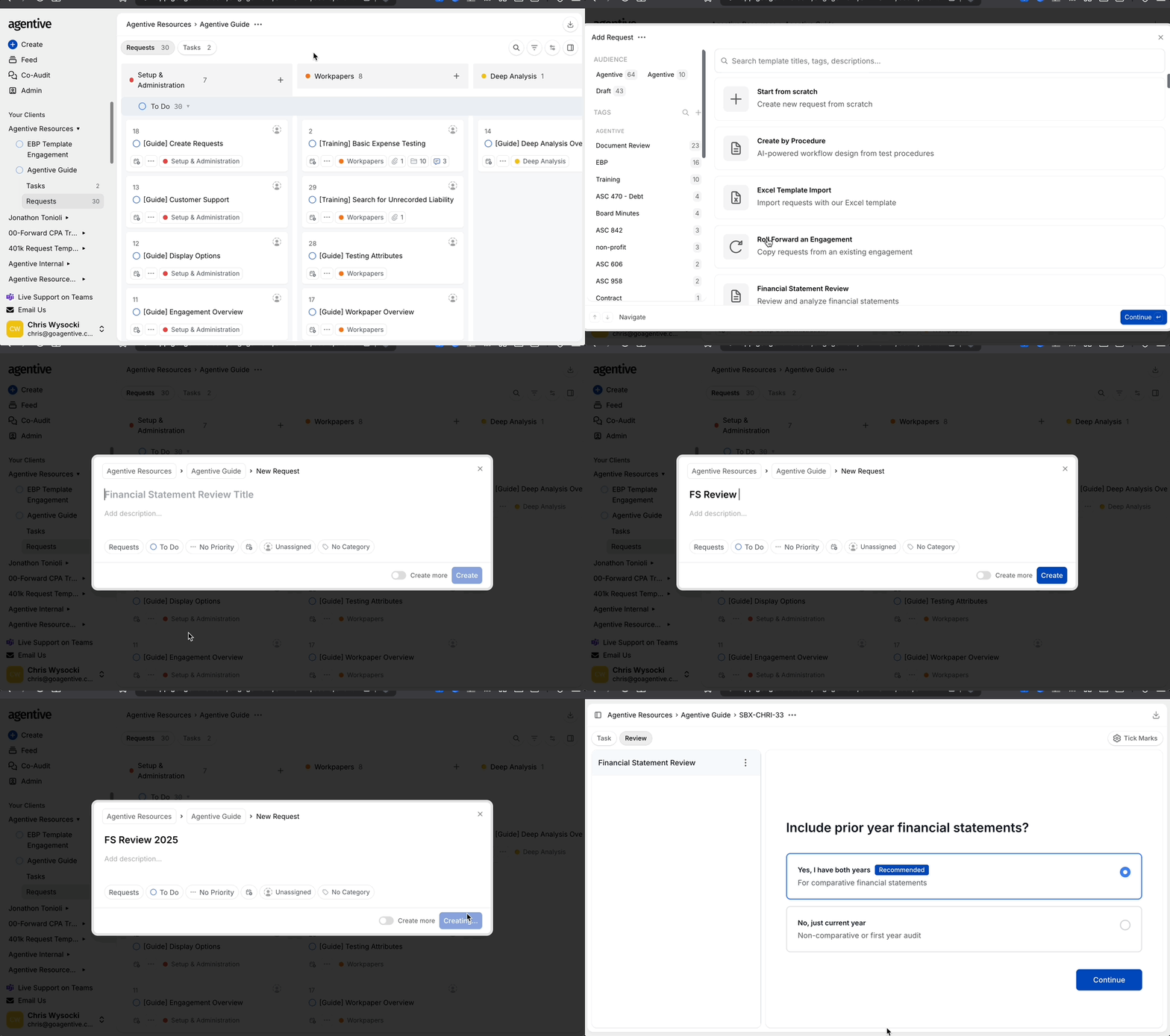
Open the Create menu
From the Request Board, click + Create at the top left of the screen, then select Financial Statement Review.
Name the task
Enter a useful title like 2025 Financials v1 and click Continue.
The task appears on the Task Board, not the Request Board. If the engagement did not already have a Task Board, creating this task creates one.
Upload the financial statements
Immediately after creation, the FSR walks you through a two-step document upload.
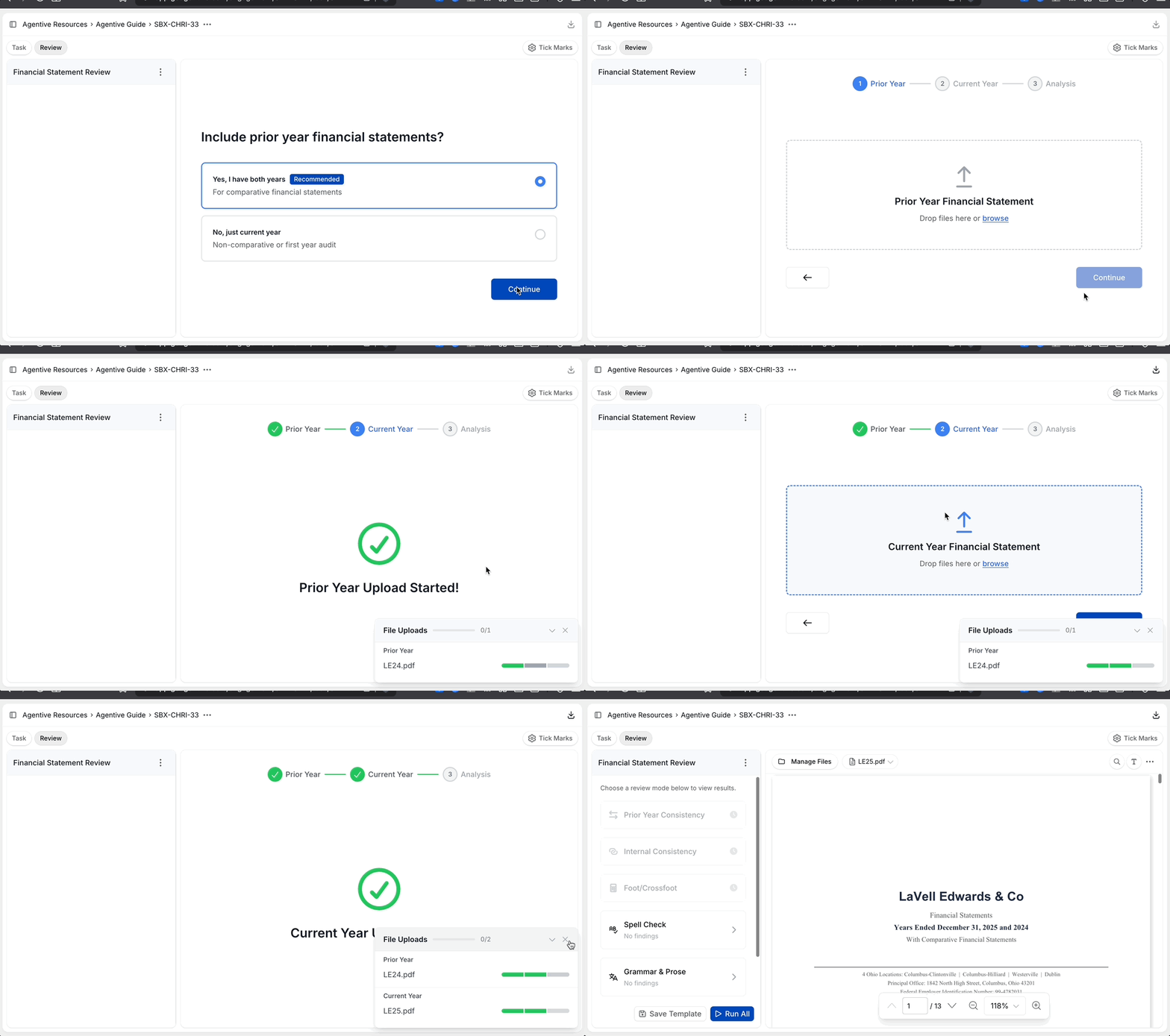
Upload the prior-year statement
When prompted, upload 2024.pdf from the onboarding materials as the prior-year statement.
Upload the current-year statement
Upload 2025.pdf as the current-year statement.
Wait for processing
Allow our agents to process your financial statements. The results page opens automatically when processing finishes.
Review the findings
Each mode inspects the statements from a different angle. For every mode, open a flagged item to see Agentive's reasoning and citations into the source, add a comment where documentation is needed, then lock the tickmark once you have reviewed it.
Checkpoint
You have now run a complete Financial Statement Review in Agentive: creating the task, uploading the statements, and walking each of the five review modes to validate findings against their source citations.
Continue your journey
← Getting started with Agentive
Sign in, open the onboarding engagement, and get oriented with the engagement views.
Load your client's accounting policies →
Upload the policy handbook, summarize it with an AI Prompt, and publish it as an Engagement Variable.
How is this guide?
Getting started with Agentive
Sign in, find the Agentive Onboarding engagement, download the practice materials, and learn how to orient yourself inside an engagement before you start building.
Load your client's accounting policies
Create a client-facing request, upload the policy handbook, summarize the travel and entertainment policy with an AI Prompt, and publish the summary as an Engagement Variable so any workpaper in the engagement can reference it.